Please add the ability to customize the email subject line using form field merge tags (similar to WPForms). For example, I’d like to pull the submitter’s Name field into the subject automatically when the message is sent, so “Web Inquiry – {Name}” becomes “Web Inquiry – John Doe.” This would make it easier to see at a glance who submitted the form and speed up follow-ups. Thank you!
Hey @Faruk_Salkic - you are able to use a workaround for this by adding {{variable}} around the input field placeholder:
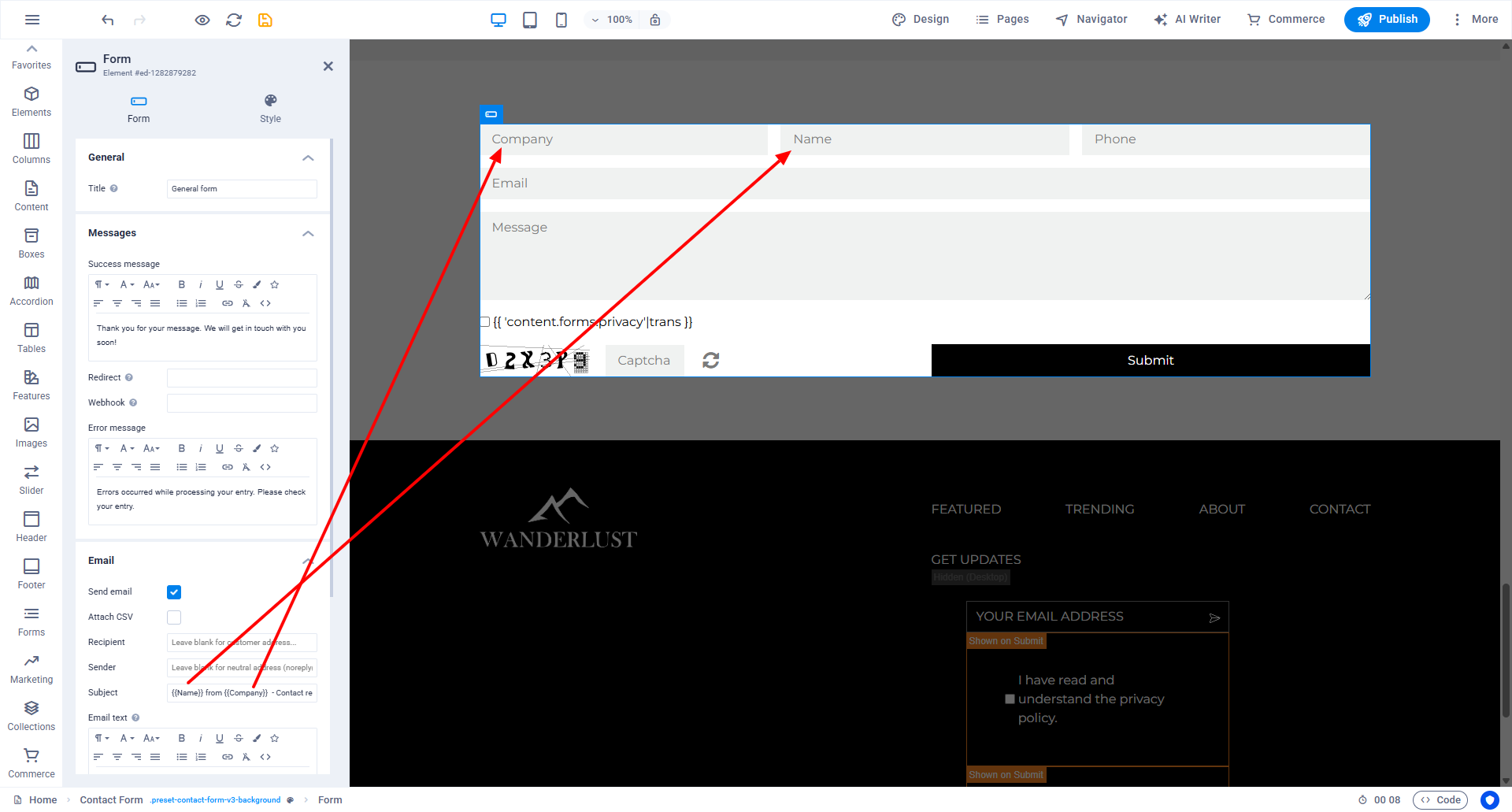
Let me know if that works.
Hi @Andre and Thank You for taking Your time trying to address this issue.
Unfortunately, I did not manage to make it work this way. I have tried using Placeholder and field’s ID (with and without #) between curly brackets, with no luck.
Hey Faruk,
Okay, so to avoid this feature request to get flooded, please open a ticket with your Website ID, some screens of how the mails look and a link to this thread, ok? Martin and I pick up the ticket then.
Hi André
Using variabvles would be a great idea. Some templates use variables but I haven’t found a documentation about. Is a variable list avaiable?
I tested this as well — the email subject in Sitejet is currently static, so form fields can’t populate it.
If someone needs a dynamic subject right now, the only working workaround is to send the form via Webhook to an external service (Make/Zapier or a small server script) and generate the email there.
+1 from me — native support for dynamic subjects would be great.
Hi Andre,
Does this work for you? If so, than we must have missed some important step in setting up the form. Thnx
Hi,
I guess this feature, although very useful, is still not available?
Hey Faruk,
This ticket is currently set to “wont development”. The more users are voting for this, the higher the chances for a pickup again.